With basic built-in video editing tools, TikTok does make a video looking good. But how should you do if you want to make it professional? Third-party TikTok video editors are ready to help. They are rich-featured and powerful, which makes it easy and quick to create an outstanding video. More importantly, you can edit your video for unlimited times to make it perfect before posting it on TikTok.
To help you quickly find the TikTok video editor you need, we've compiled some of the best ones for you. Let's check it out.
Free Editable TikTok Video Templates


Also Read: How to Do a Duet on TikTok on Android/iOS Phone
Recommended AI-Powered TikTok Video Editor - FlexClip
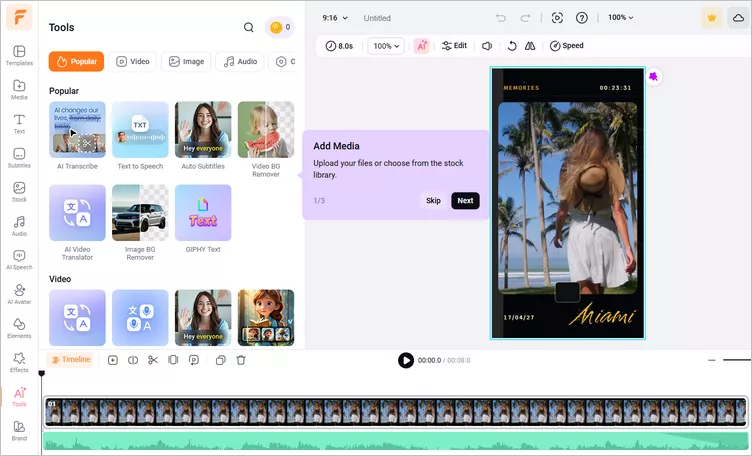
FlexClip is an AI-powered online video editor that we highly recommend for creating and editing engaging TikTok videos. It combines powerful traditional editing features with advanced AI tools, helping users generate, customize, and enhance professional-quality videos without needing advanced editing experience.
Besides creating TikTok videos, FlexClip helps you produce a wide range of content, including promotional videos, tutorials, product showcases, and faceless videos. With AI-powered features, ready-to-use templates, and intuitive editing tools, FlexClip helps creators save time while producing videos that are optimized for social media engagement.
Recommended AI-Powered TikTok Video Editor - FlexClip


Why Choose FlexClip for TikTok Video Editing?
May you already have longer videos from YouTube, Twitch, webinars, podcasts want to post to TikTok? FlexClip's AI Long-to-shorts tool helps transform long-form content into shorter, TikTok-friendly clips. This makes it easier to reuse existing content and maintain a consistent posting schedule.
Designing an attractive video layout from scratch can be difficult for beginners. FlexClip offers ready-made templates for different content styles. These templates help you produce professional results with minimal effort. Simply pick your desired one and try AI Recreate to turn your footage into an engaging TikTok automatically or feel free to customize manually.
FlexClip is built for users who want simple editing without a steep learning curve. Its drag-and-drop interface allows creators to: trim and combine clips, add music and sound effects, insert text animations, apply transitions, etc.
Creating a TikTok video from scratch can take hours. FlexClip's AI features help speed up the process by generating video ideas, transforming scripts into videos, and suggesting visuals, transitions, and layouts.
① How to Use Filter Effects on TikTok
② How to Upload a Sound or Music to TikTok
More TikTok Video Editor for Different Devices
Besides FlexClip, there are several other great TikTok video editors you can explore to create engaging and eye-catching videos for your account across different devices. Let’s take a look at the top options and find the one that best suits your editing needs.
CapCut
CapCut is a powerful yet easy-to-use TikTok video editor designed to help you produce engaging content quickly and professionally. It offers an intuitive drag-and-drop interface that makes editing simple, even for busy social media managers. With features like instant clip adjustments, speed controls, filters, advanced colour grading, and detailed audio mixing tools, you have everything need to refine your videos with precision. CapCut also includes AI-powered business tools, such as AI-generated actors and automated multi-language dubbing, making it an excellent choice for you to streamline content creation and explore new possibilities with AI.
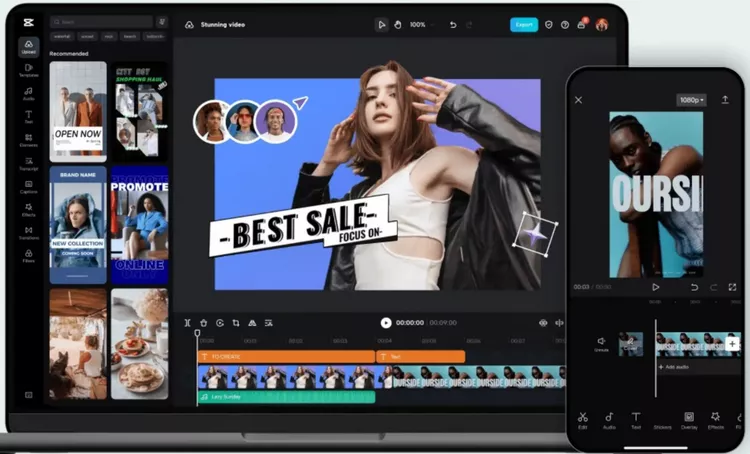
Best TikTok Video Editor - CapCut
Clipchamp
Clipchamp is also an online TikTok video editor that can help you edit a video for TikTok. The tool meets all basic video editing needs, such as cutting, splitting, adding text and music, applying filters, adding transitions, and so on. It has a simple and intuitive interface and rich editing functions. Free and easy to use, Clipchamp is an ideal video editor for beginners.
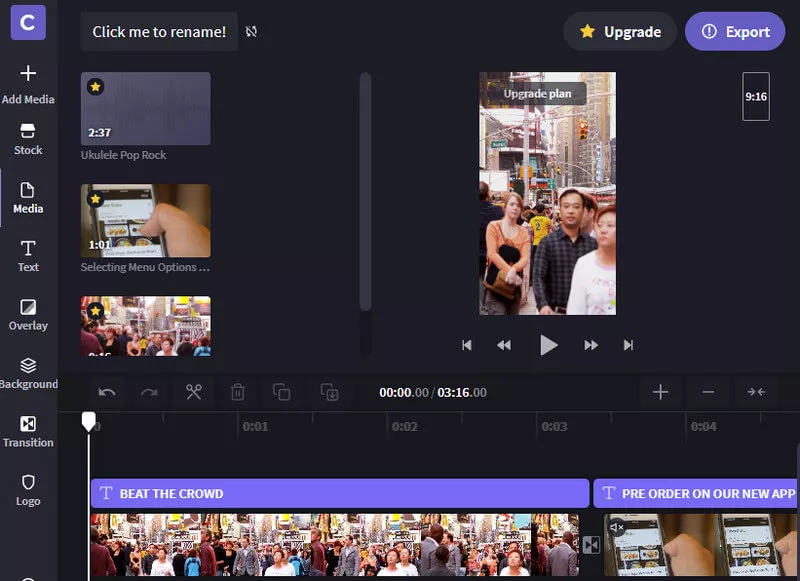
Free Online TikTok Video Editor - Clipchamp
Kapwing
Kapwing is another web-based TikTok video editor that lets you create amazing videos in just a few simple steps. Just upload your video clips to the video editor and do editing such as splitting, trimming, resizing, adding text and music, adjusting speed, and more. The best thing about this TikTok editor is that it won’t add a watermark to your video.
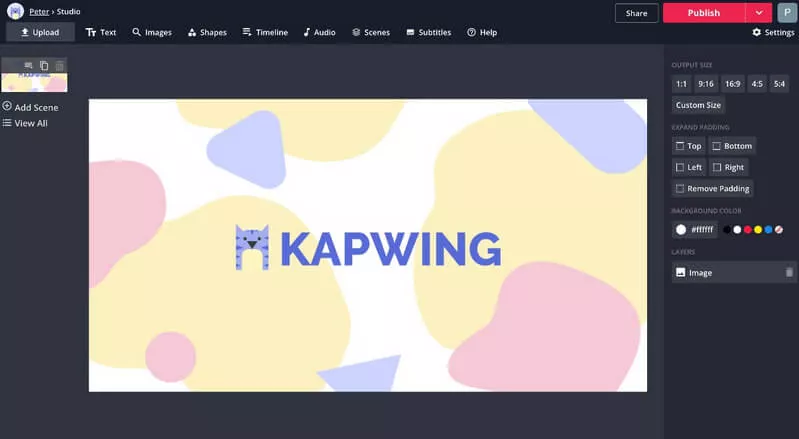
Free Online TikTok Video Editor - Kapwing
OpenShot
OpenShot is a free and open-source video editing software that lets you edit and make stunning videos for your TikTok. Although it comes with powerful options to help you edit your TikTok videos, it is very simple to use, and there is not much learning curve required.
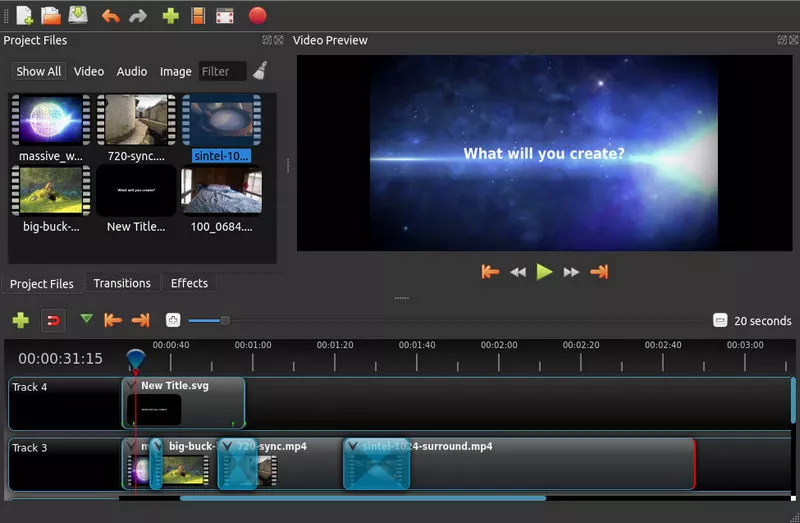
TikTok Video Editor for PC - OpenShot
VSDC
VSDC free video editor, one of the best video editing software, is available for Windows only. It also can help you edit the video for TikTok without watermark. You can add various video and audio effects to your video to make it more professional-looking.
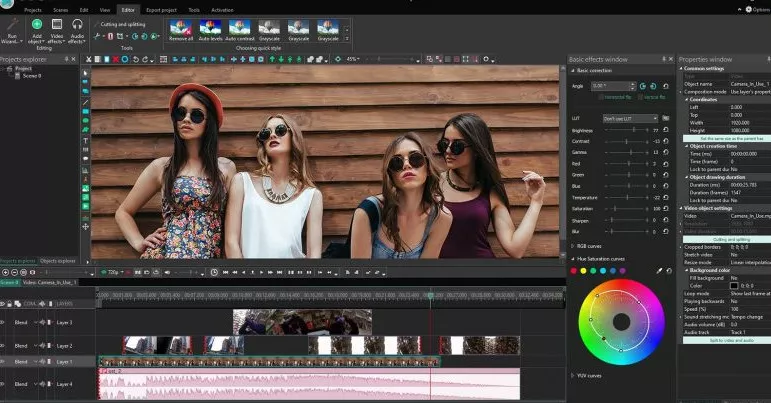
TikTok Video Editor for PC - VSDC
InShot
Available on: Android and iOS
InShot, a free TikTok video editing app for iPhone and Android, stands out from the crowd with its easiness to use and rich features. It is so easy to use that you don’t need to have any experience or skills. And it covers all features that you may need to edit a video for TikTok. With its powerful editing tools, you can create TikTok videos in minutes. The downside is that InShot will add a watermark to your video. To remove the watermark and ads in the app, you have to pay $1.99.
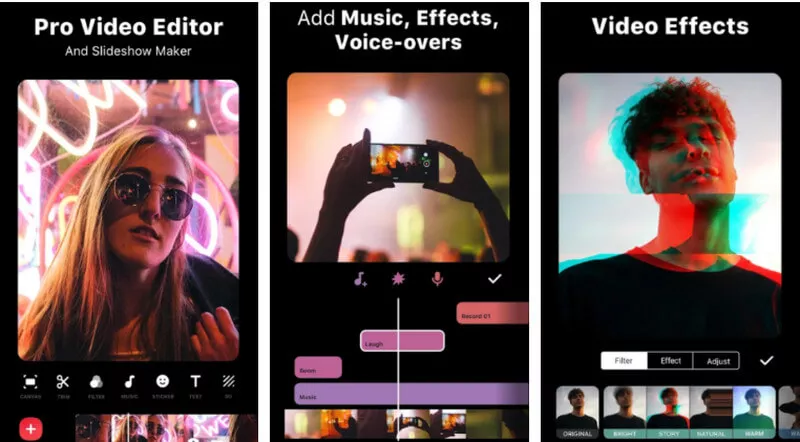
TikTok Video Editing App - InShot
Magisto
Available on: Web, Android and iOS
Magisto is one of the best TikTok video editing apps. It works on Android phones and iPhones. What makes it stand out is its artificial intelligence, which allows you to make great marketing videos in simple steps.
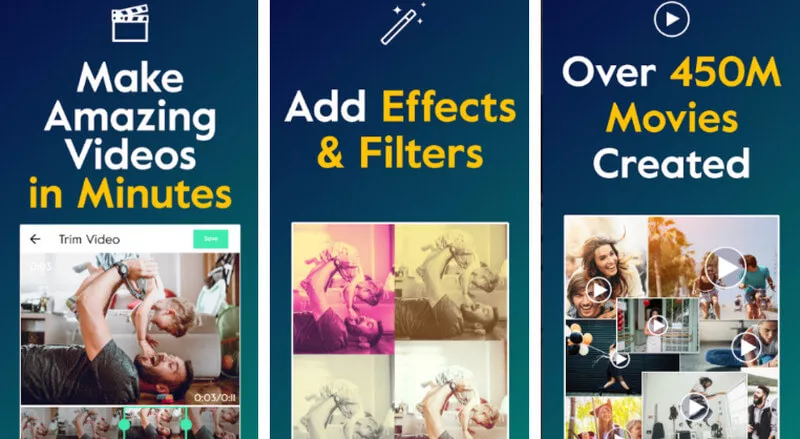
TikTok Video Editing App - Magisto
Final Words
Theses are the best TikTok video editors we'd like to share with you. In general, all of them are helpful and easy to use. As for which one suits you best, it depends on your needs. If you don't want to download any software, an online editor like FlexClip is your best bet. If you have no internet access, then an offline app like InShot is ideal.
Think this post is helpful? Don't forget to share it with your friends. We'd appreciate it very much.




FlexClip AI Video Maker
Reach professional-quality videos faster with easy editing tools, templates, and smart AI.
Start Now for Free
Hot & Trending
-

Best Ways to Find Music in YouTube Videos
-
Instagram Story Video Quality Bad After Upload? Fix It!
-
How to Repost Video on TikTok & How to Remove TikTok Repost
-
Improve Video Quality Online: 3 AI Video Quality Enhancers You Can't Miss
-

4K Convert to HD 1080p without Watermark: Best 4k Video Converters
-
Best 8 Free Video Editors - No Download Required
-
Top 13 Birthday Video Makers with Music and Effects Free
-
How to Search Filters on TikTok & Use a Filter You See - TikTok Filter Guide